Overview
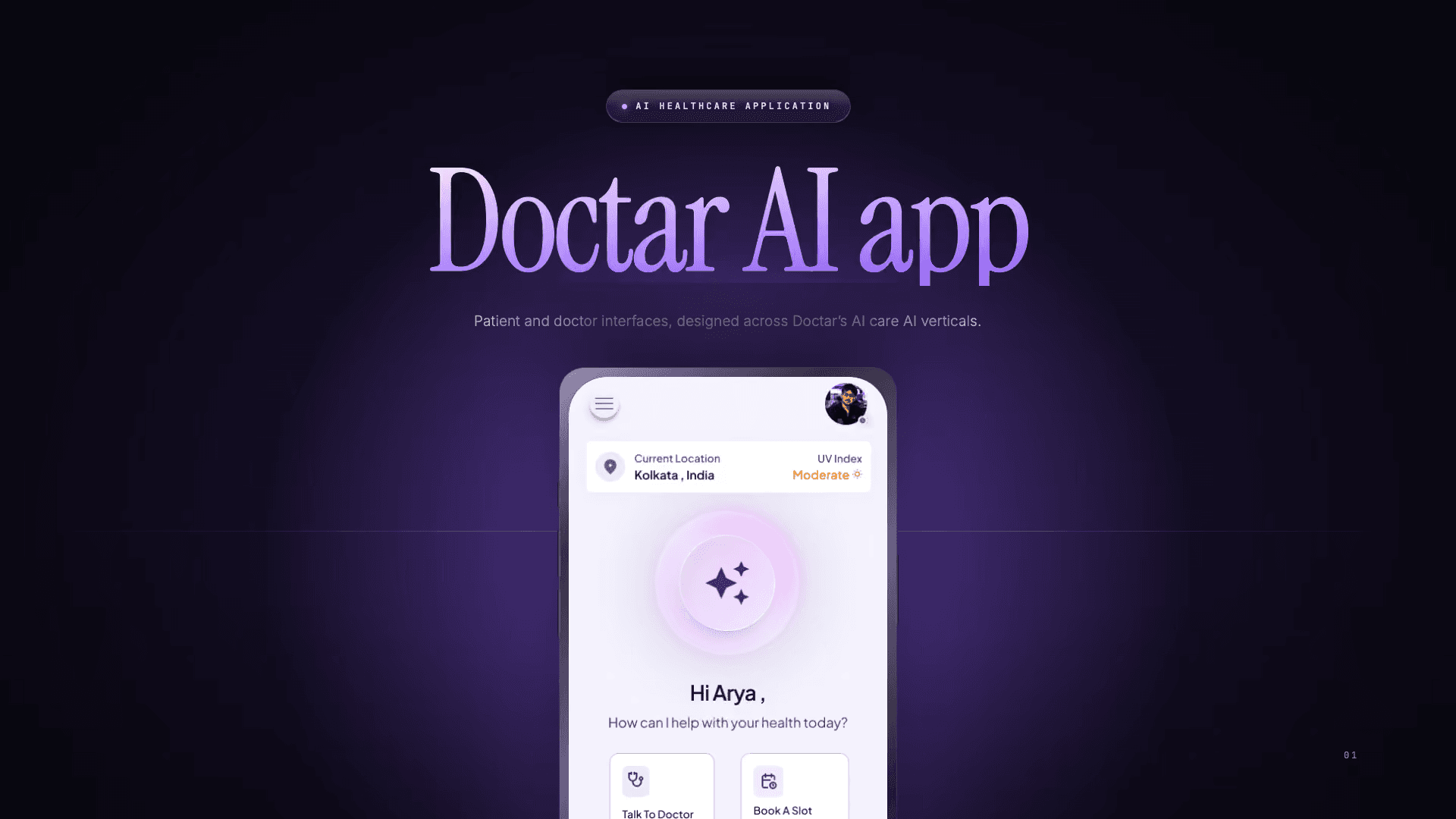
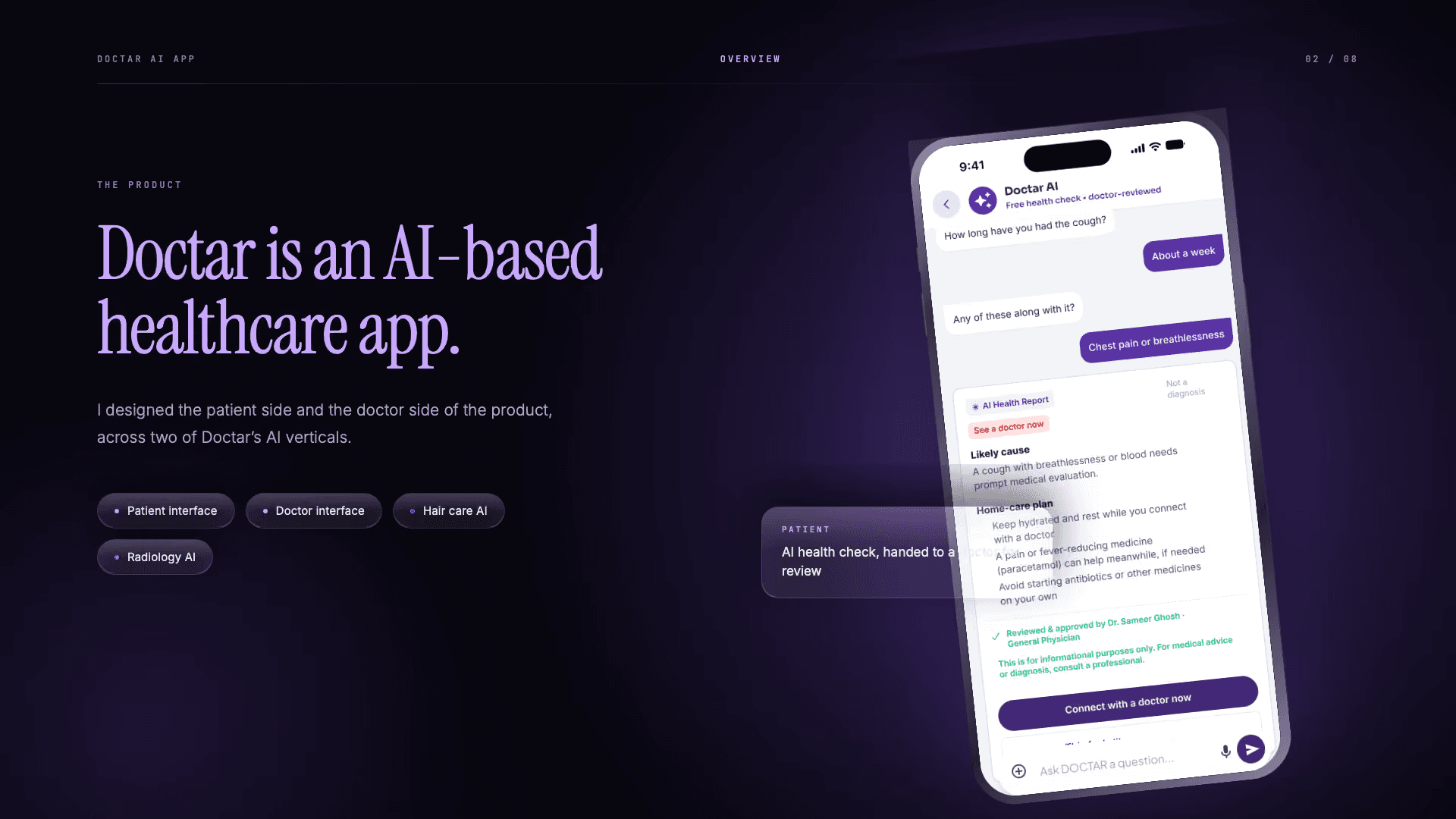
The Doctar app spans patient-facing and doctor-facing experiences. I designed screens for hair care and radiology AI within one brand system.
My role
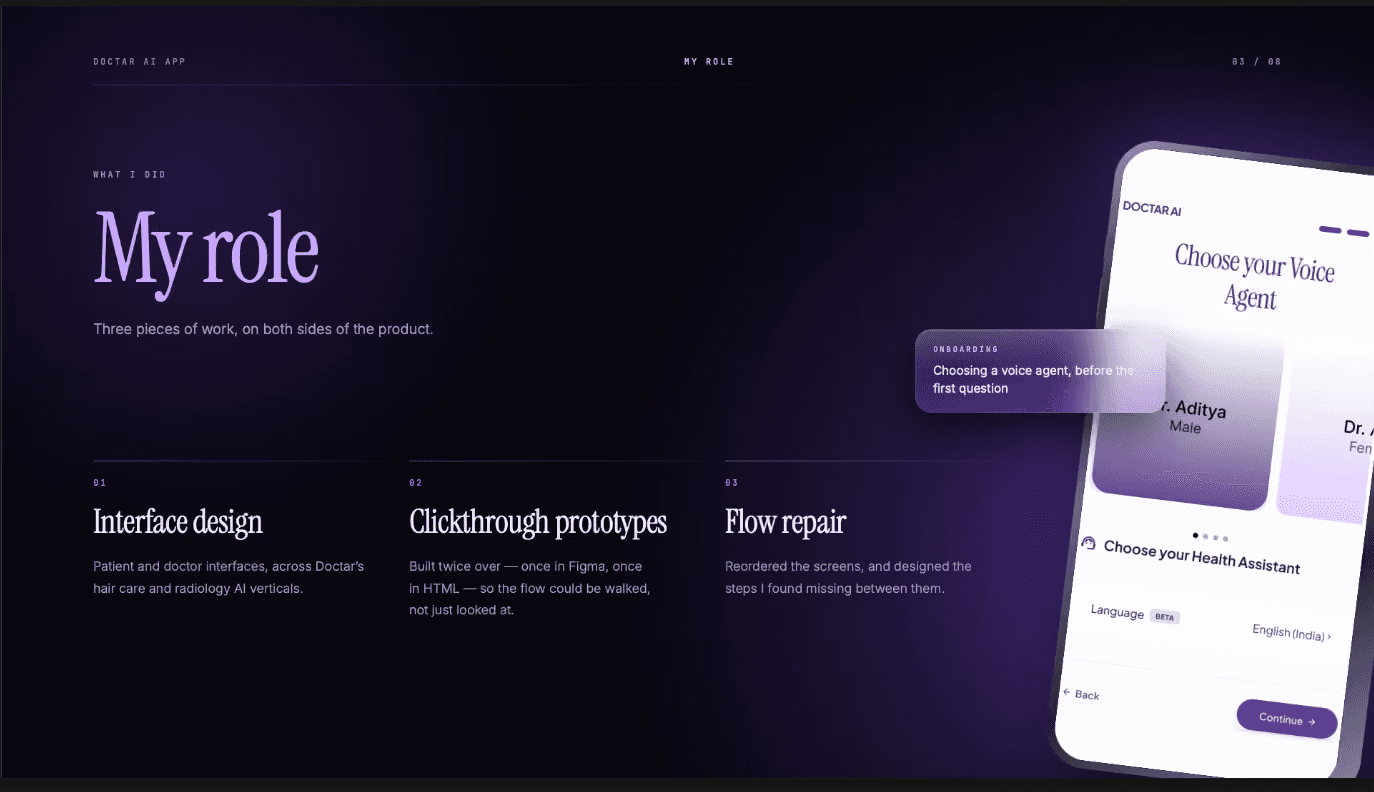
I designed the patient and doctor screens in Figma, then built clickthrough HTML prototypes to test the sequence outside the design file.
I reordered screens, added missing states and documented every patient and doctor screen in plain English for non-technical developers.
Process
Build one system across two verticals
I used one Doctar brand system across hair care and radiology AI, so the patient and doctor experiences read as parts of the same product.
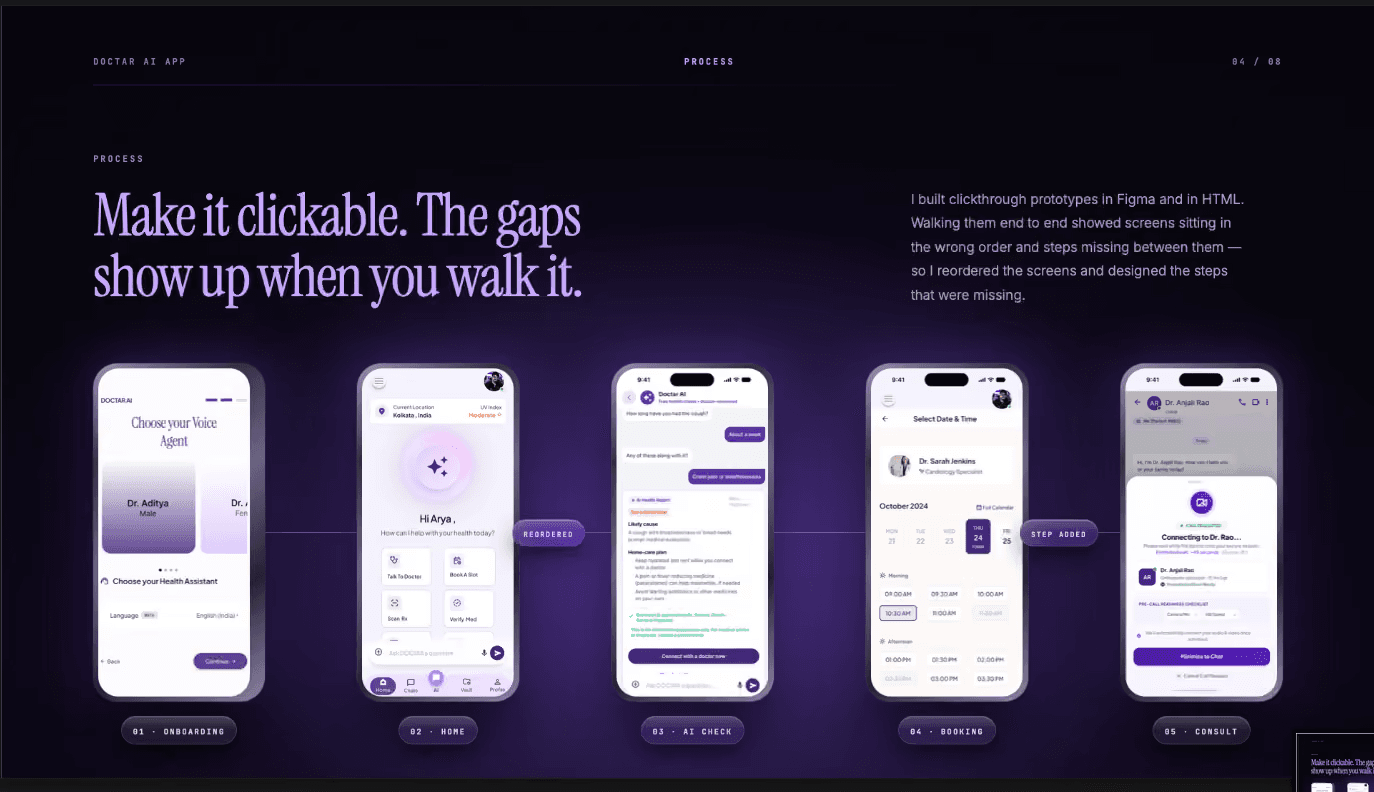
Turn screens into flows
I built clickthrough HTML prototypes, reordered screens and added the missing steps I found between them.
Write the implementation path
I created a plain-English UI/UX handoff document for every patient and doctor screen so non-technical developers could follow the intended behavior.
Solution
A patient home with direct routes
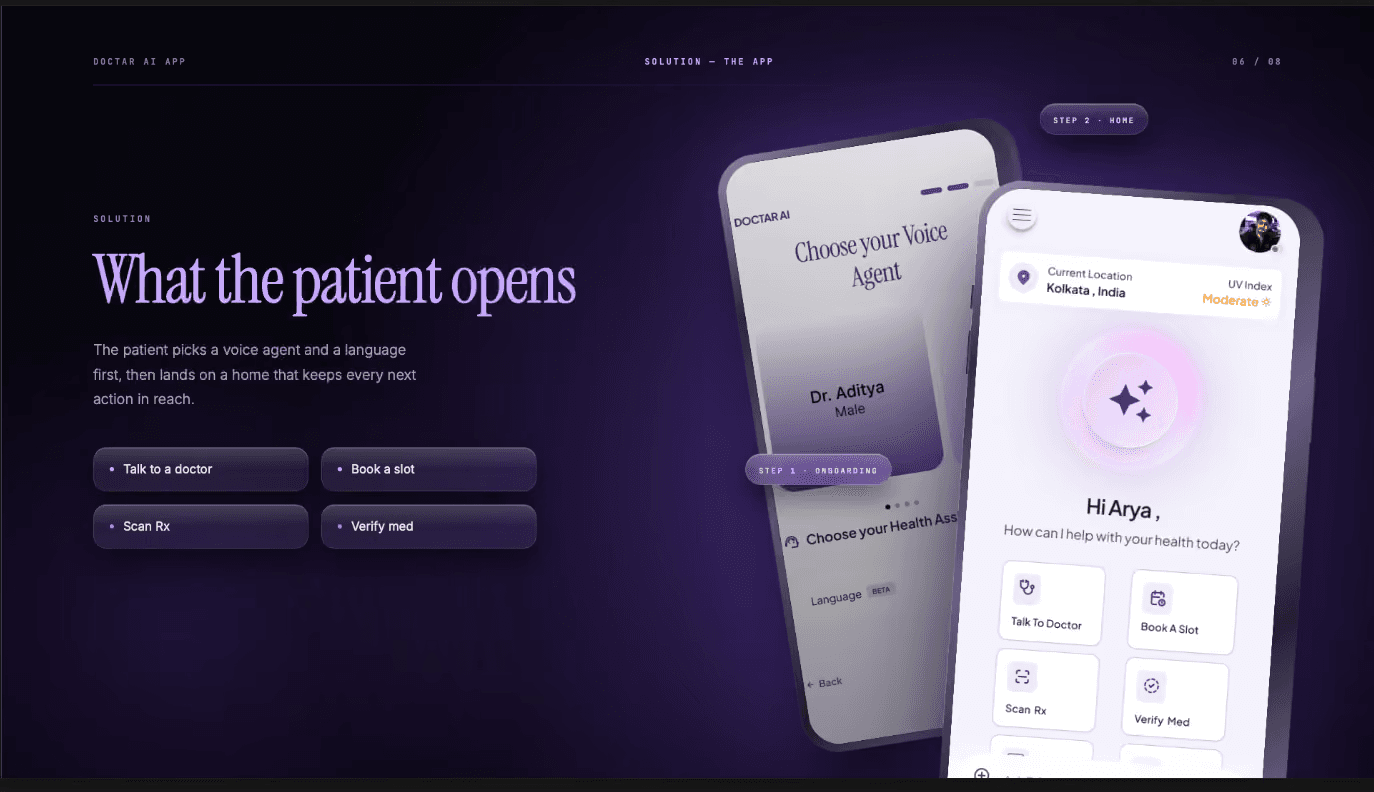
The patient home brings doctor consultation, slot booking, prescription scanning, medicine verification and AI chat into one starting point.
Consultation context before the call
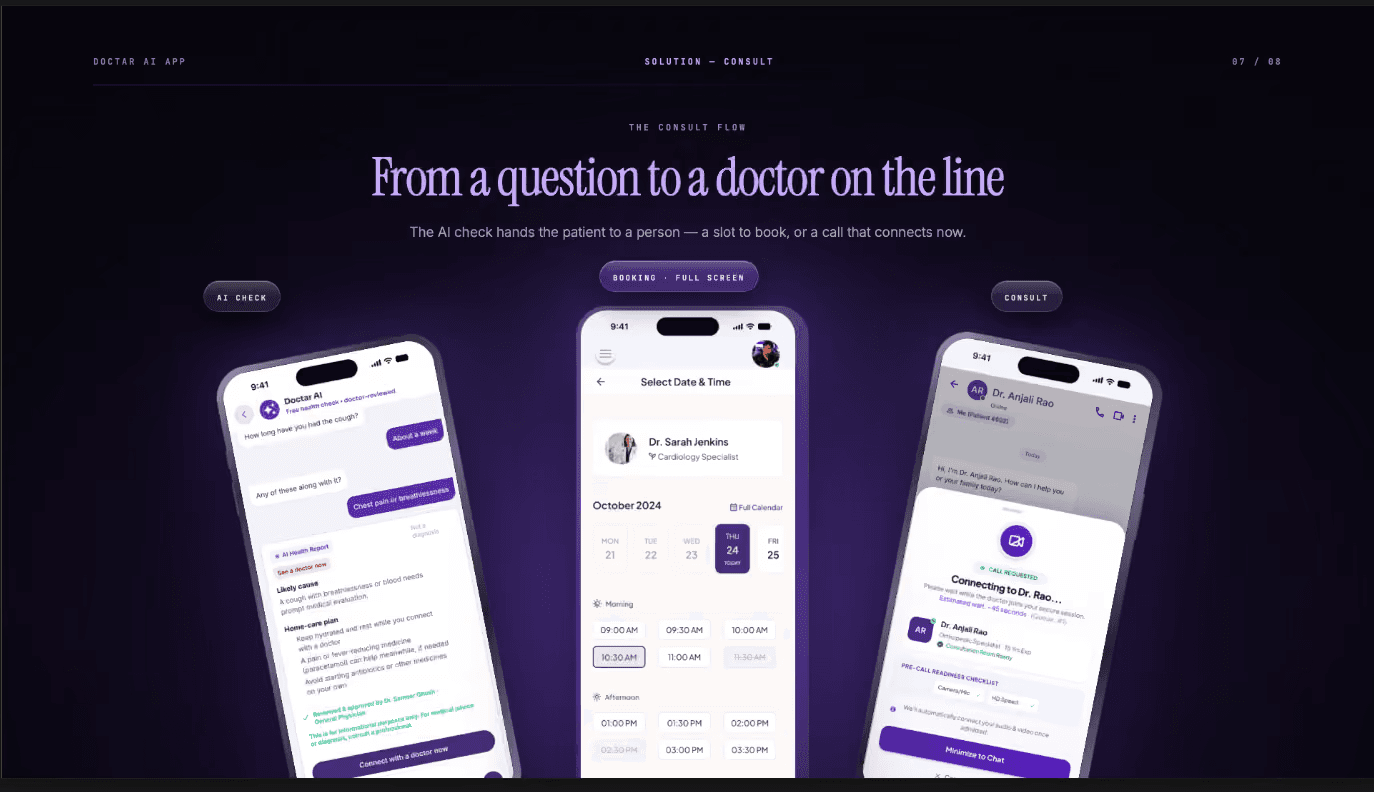
The call-request screen keeps the conversation, call controls and doctor details together so the consultation has a clear entry point.
Result
The Doctar app was live as part of the platform.